
Linux Commands: wc
Use the Linux wc command to count lines, words, bytes, and characters in files or piped input.
wc stands for word count. It is used to display the number of lines, words, characters, and byte for a file or input received via pipe(|).
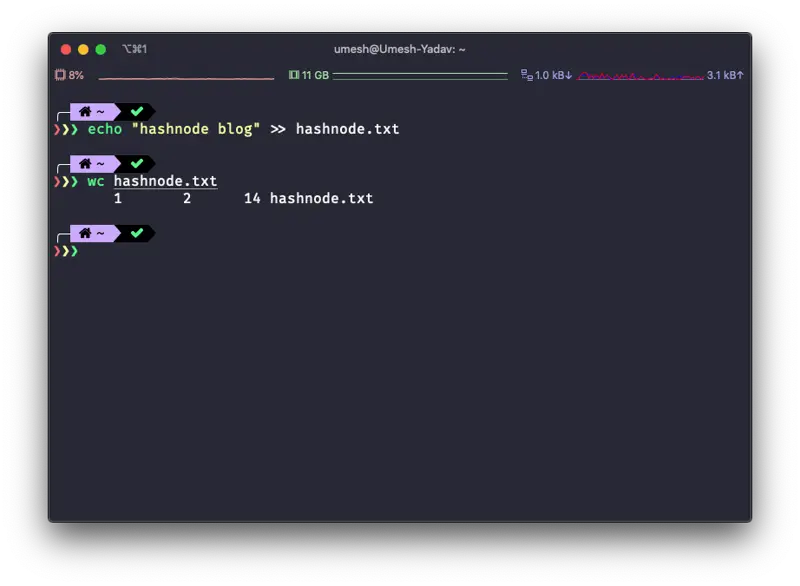
the output shown above is explained below.
- 1 - Number of lines.
- 2 - Number of words
- 14 - Number of bytes
There are four options that can be used with wc.
- -c: The number of bytes in each input file is written to the standard output.
- -l: The number of lines in each input file is written to the standard output.
- -m: The number of characters in each input file is written to the standard output. If the current locale does not support multi-byte characters, this is equivalent to the -c option.
- -w: The number of words in each input file is written to the standard output.
Let’s see these options in action.
This will count the lines.
$ wc -l hashnode.txt
       1 hashnode.txt
This will count the words.
$ wc -w hashnode.txt
       2 hashnode.txt
This will count the number of bytes.
$  wc -c hashnode.txt
      14 hashnode.txt
But sometimes you have a file with multi-byte(non-ASCII charsets). For example, the Unicode character where one character is represented by multiple bytes.
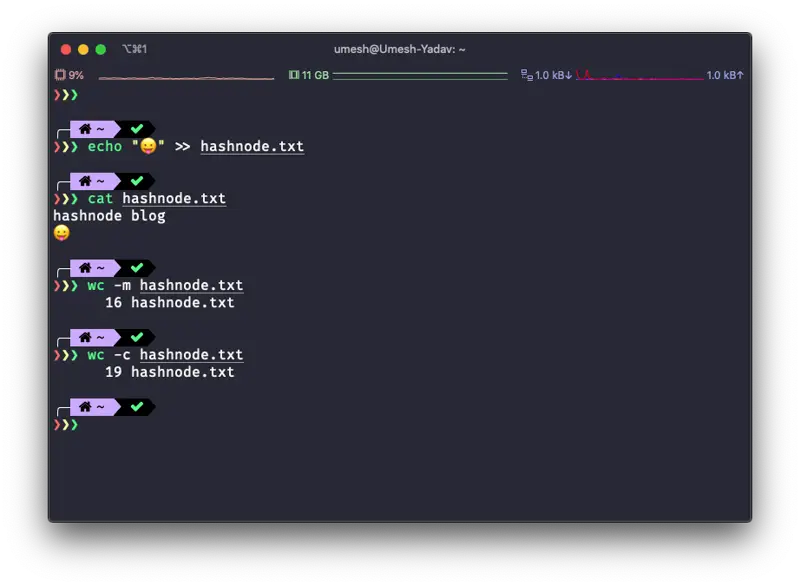
If you see this carefully, we added an emoji character to the end of the file. Both -c and -m output differ from each other because of that.
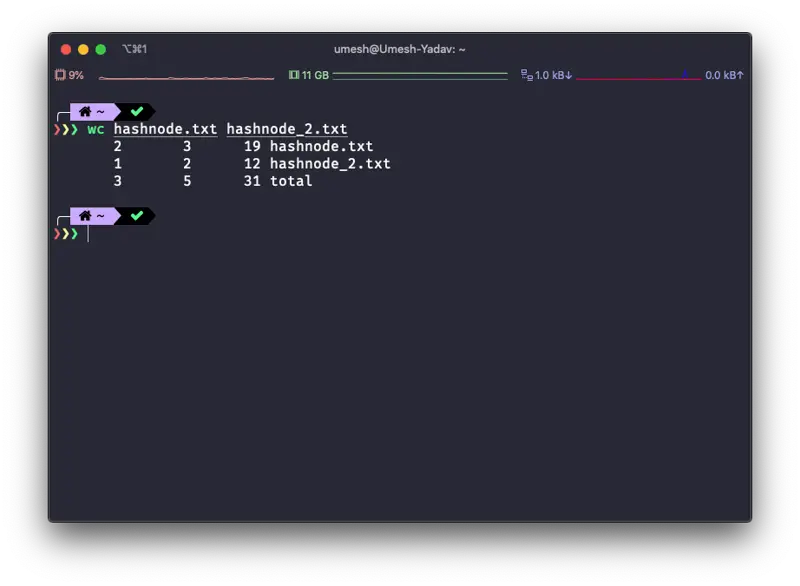
You can also pass more than one file to the wc as input.
Advanced usage
You can also apply the wc on the output of other commands.
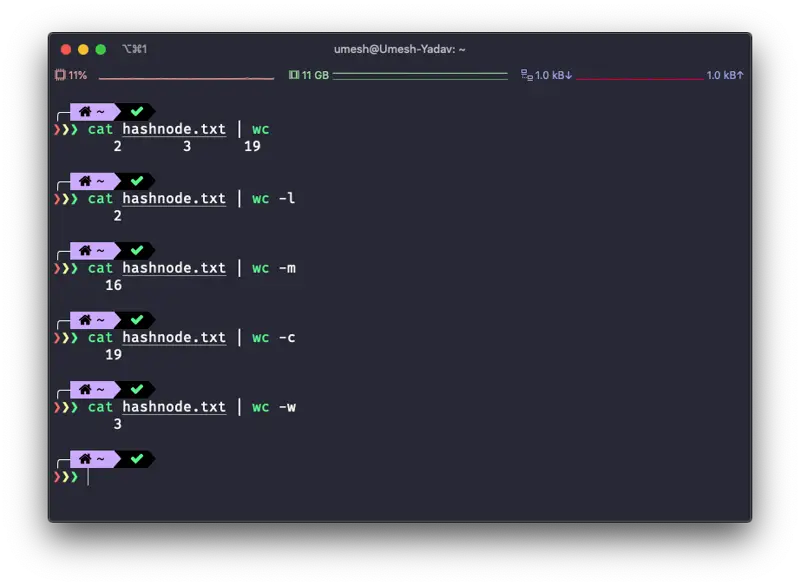
$ ls -al | wc
     118    1065    7139
Conclusion
wc is very helpful and can be used quite frequently.